About the game
What is The Choicer Voicer?
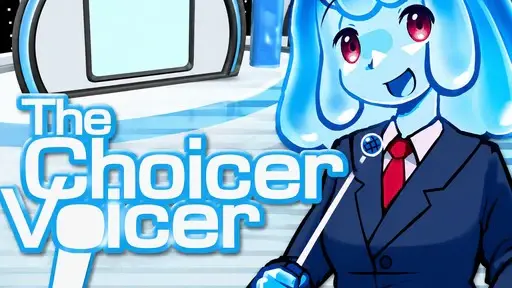
The Choicer Voicer is a unique entertainment game where your voice is the absolute focus of the entire experience. Instead of normal buttons to control a character, you use your microphone to deliver lines, mimic speech patterns and try to put on a performance strong enough to impress the judges.
The most engaging part is not the graphics or complex systems — it's the way it makes you the star of the show. Players can use their own content, decide how each session is played, and even turn the game into a group activity with friends or a livestream community.
Every individual voice pack can present a whole bunch of challenges that are totally different from another set.
What you get
Why play The Choicer Voicer
A mic-first party experience where your performance, your content and your friends drive every round.
Voice packs
Build folders of audio clips — funny lines, famous dialogue, themed sounds — and use them as the source material for every round.
A live panel of judges
Perform on the studio stage in front of a panel whose reactions make successful performances and hilarious failures even funnier.
Four ways to play
Single player, local multiplayer, Dub Mode and streaming challenges keep every session different.
You own the content
Use clips you already know well — and discover that a not-so-perfect performance is sometimes more amusing than a perfect score.
Core mechanic
Create your own voice pack
The voice pack system is one of the core mechanics of The Choicer Voicer. Create a folder of different audio clips to use as the source material for game rounds — it opens up a universe of creative possibilities.
Build a personal collection of funny lines, famous dialogue or sounds around a certain theme, and every session draws fresh challenges from your own library.
Select a variety of audio clips
A diverse collection helps prevent rounds from feeling repetitive.
Create a theme
Group lines based on characters, emotions, or styles.
Use familiar content
Lines you already know well are easier to memorize and perform.
Expand your collection
Adding more clips brings more surprises to your gaming sessions.
On the stage
The studio & panel of judges
The studio is where the main performances take place. After selecting your content, you perform before the panel of judges.
The characters in the studio are not just decoration — they help create the atmosphere of each session. The host's and judges' reactions make successful performances and hilarious failures even funnier.
Try different styles of delivery and see how they react differently. Sometimes a not-so-perfect performance is more amusing than a high-scoring one.
Game modes
Four ways to play
The Choicer Voicer is more than a single-player experience — transform ordinary gaming sessions into enjoyable social gatherings with friends.
Single Player
Hone your vocal delivery and get a feel for the game's scoring system. It also makes a great test bed for new voice packs before using them in multiplayer.
Local Multiplayer
Invite friends and compete on one device — each player sets up their own microphone before the game starts. Perfect for parties: take turns, keep score and react to each other's performances in real time.
Dub Mode
Skip the scores and do voice-overs for video clips. Align the dialogue with the images and produce a complete dubbed version. Start with short clips to feel out the pacing, then attempt longer scenes.
Streaming Challenges
With Twitch integration, your viewers help judge instead of just the automated scoring. Bring the audience into the show and perform for the community's reaction.
Getting started
Hints for a good performance
Six quick tips to help you nail your rounds — and have more fun while you're at it.
Choose well-known clips
It's easier to memorize and reproduce sounds you have heard many times.
Listen before you speak
Pay attention to the pace, emphasis and emotion of the sample clip.
Work on delivery
Don't just say the words right — get into the rhythm and vocal nuances.
Test your microphone
Make sure your recording device is working properly before starting a session.
Start with short clips
Short segments help you quickly get used to the mechanics and scoring system.
Try different voice packs
Changing the content often keeps the experience fresh and engaging.
Help
Frequently asked questions
Is The Choicer Voicer free to play?
Yes. This browser build is free to play online — no purchase or account needed. All you need is a working microphone.
Do I need a microphone?
Yes. The whole game is driven by your voice. Any built-in or USB microphone works — just make sure it is set up and you allow access when your browser asks.
Which browsers are supported?
The game runs best in modern Chrome, Edge or Firefox on desktop. Microphone access requires a secure (HTTPS) connection, so it won't work in insecure contexts or outdated browsers.
How does the scoring work?
The system scores how closely you match the sample clip — its pace, emphasis and delivery. In streaming mode, your Twitch viewers can judge your performance instead of the automated score.
Can I play with friends?
Yes. Local multiplayer lets several people share one device and compete, each with their own microphone setup. It's an ideal party game — take turns, keep score and react in real time.
What is Dub Mode?
Dub Mode trades scores for voice acting. You do voice-overs for video clips, aligning the dialogue with the images to produce your own complete dubbed version.
How do I create a voice pack?
Create a folder of audio clips — funny lines, famous dialogue or themed sounds — and load it as the source material for your rounds. A variety of clips, clear themes and familiar content make the best packs.
How is my microphone used?
Your microphone is active only while you play — it powers your performances in the game. We don't run any separate recording on this page. For full details on how the game handles audio, please refer to the game itself.