Beyond the Microphone: Making The Choicer Voicer Your Own
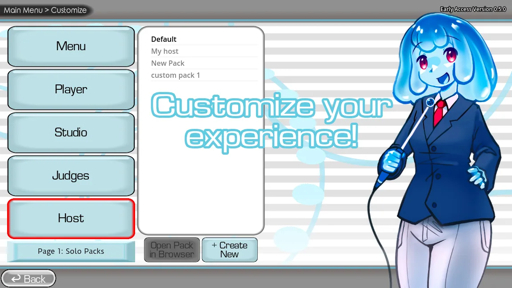
The best part of The Choicer Voicer is not simply recording a funny line. It is the freedom to turn the game into something that reflects your own interests, humor, and creative community.
A standard session can be entertaining on its own: hear a clip, choose a voice, perform the line, and listen back to the result. But custom content changes the experience. It gives players a chance to build new prompts, fresh scenes, themed game-show sets, and original characters. Instead of replaying the same material, a group can create a growing library of inside jokes and new challenges.
Start With a Clear Theme
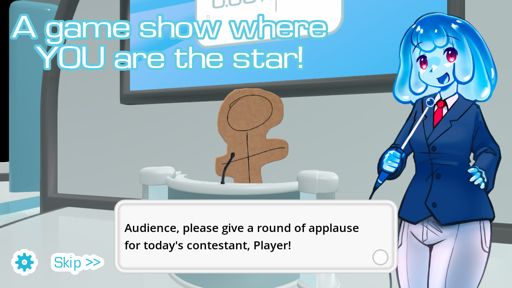
A memorable content pack usually begins with one focused idea. The theme does not need to be complicated. In fact, a narrow concept often produces better recordings because everyone immediately understands the tone of the material.
For example, a group could create a pack based on:
- An imaginary late-night game show
- A fantasy kingdom full of overly dramatic characters
- A space crew dealing with routine disasters
- A workplace comedy with ridiculous meetings
- A collection of original reaction clips and inside jokes
The goal is to give each clip a recognizable mood. Some lines should invite serious performances, while others should give players permission to be absurd. A good pack creates contrast: a quiet confession followed by an excited announcement can be more fun than ten similar clips in a row.
Design Clips for Performance
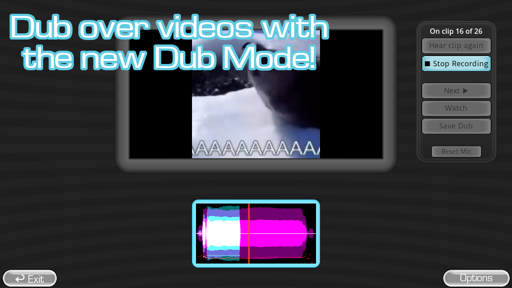
When building a voice or dub pack, it helps to think like a performer rather than only like an editor. The player needs enough information to understand the situation, but not so much that there is only one possible way to deliver the line.
Short clips often work well because they encourage experimentation. A single sentence can be performed as a whisper, a heroic speech, a confused question, or a complete meltdown. The most replayable prompts leave room for interpretation.
A practical pack might include a mix of:
- Greetings that establish a character’s personality
- Emotional reactions such as shock, anger, excitement, or panic
- Questions that can be answered with different attitudes
- Arguments with exaggerated dramatic pauses
- Closing lines that create a strong final joke
Clean sound also matters. Background noise, overlapping music, and unclear dialogue can make a good concept frustrating to play. If possible, use clips with understandable speech and add subtitles so players can focus on timing and performance.
Build a Shared Comedy Library
The most successful community packs often become a record of the group that made them. A strange phrase from a game night, a recurring joke from a livestream, or an exaggerated impression can become a prompt that everyone recognizes.
That shared context gives recordings more personality. Someone who joins later may not understand the joke immediately, but they can still create their own version of it. Over time, the pack becomes a living collection of performances rather than a fixed set of audio files.
This is especially useful for creators and friend groups who play regularly. Instead of searching for new material before every session, they can add a few clips after each event. The collection slowly grows, and every new pack brings back memories from earlier recordings.
Keep Experimenting
Custom content does not need to look or sound perfect on the first attempt. The first version of a pack may have uneven volume, unclear subtitles, or a theme that needs more variety. That is normal. Testing the pack with real players quickly reveals which clips inspire great performances and which ones need revision.
The important thing is to keep the process playful. Try a new voice, create a strange host, add a dramatic scene, or build a set around a joke that only your friends understand. The value comes from giving people something unexpected to respond to.
The Choicer Voicer works best when it becomes a creative space rather than a strict performance test. With a microphone, a few well-chosen clips, and an idea worth exploring, every session can become a new show.